Little Memory 2.2: iPad and iPhone Duo
Little Memory 2.2 is out, and it’s been designed to work with wide screens! It’s hot off the tail of Ready Time’s Duo/iPad release.
iPhone Duo
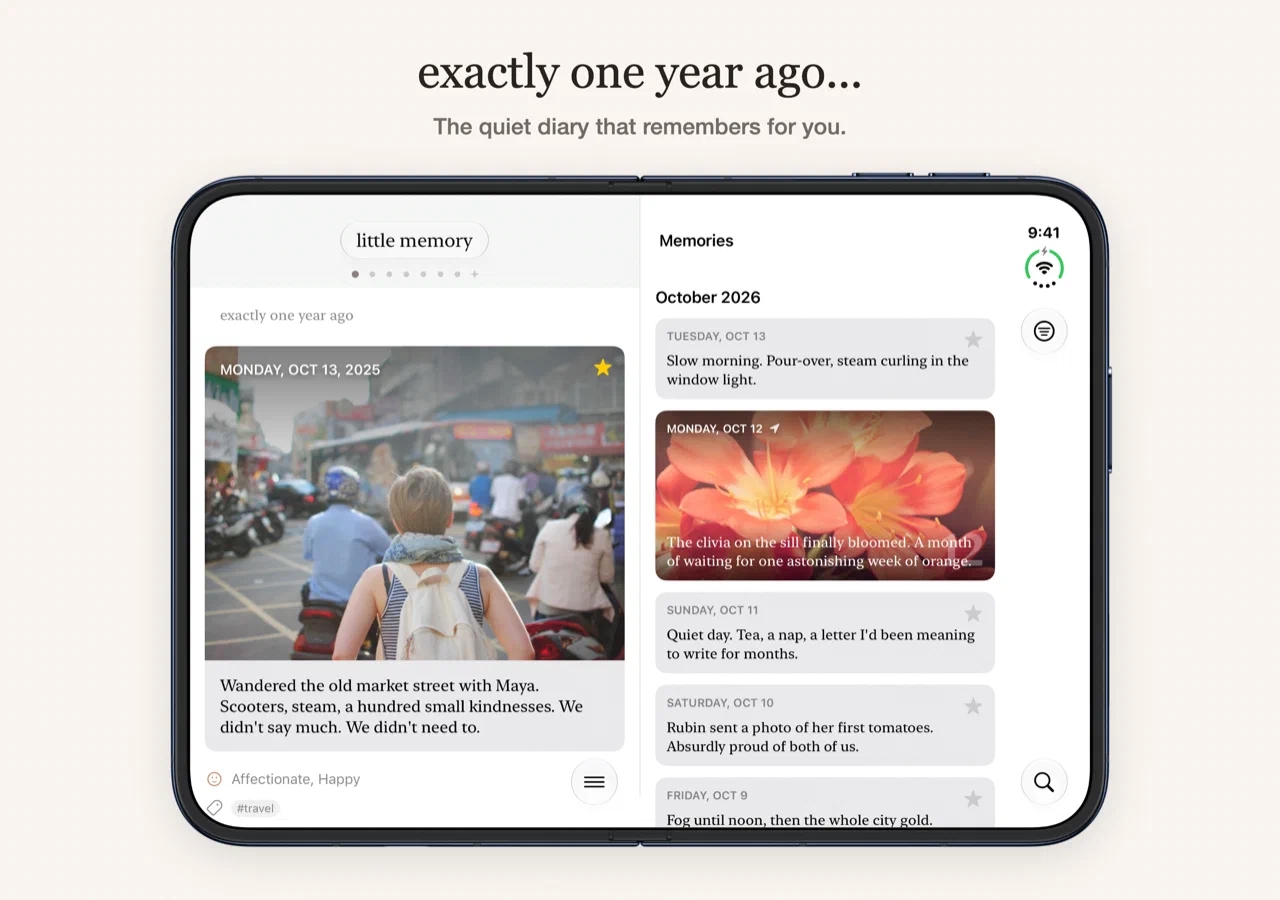
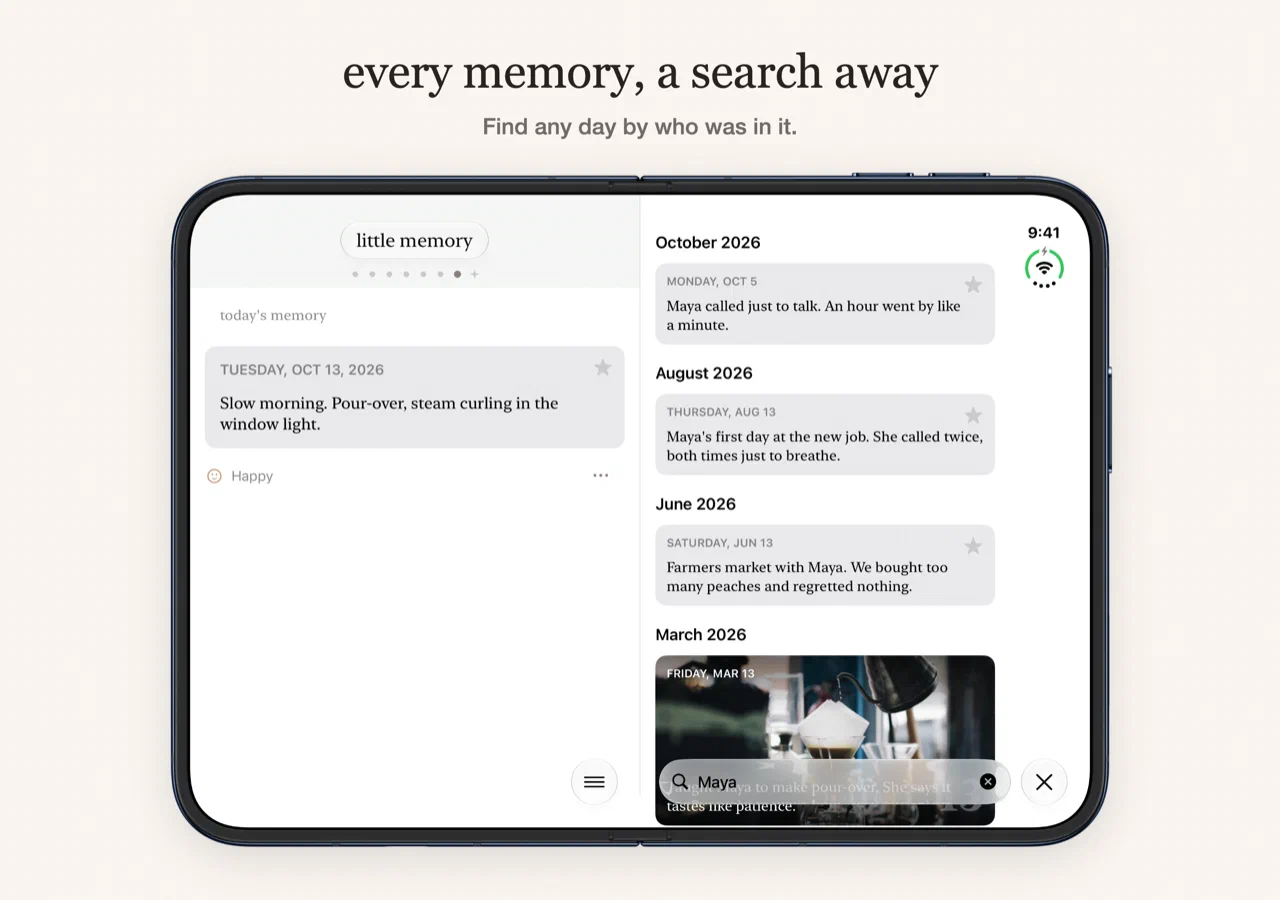
Apple’s fancy new iPhone Duo opens up to a wide screen. I’ve been meaning to revisit iPad support for Little Memory, so I thought I’d take this opportunity to throw 2 rocks and hit a single bird. Open the iPhone Duo: when you select the Search option in the inner display, the Search view will now present on the side beside the main Diary. Tap a search result and the Diary moves to that day. When you close or open the phone, you’ll stay on the day you were looking at.
iPad
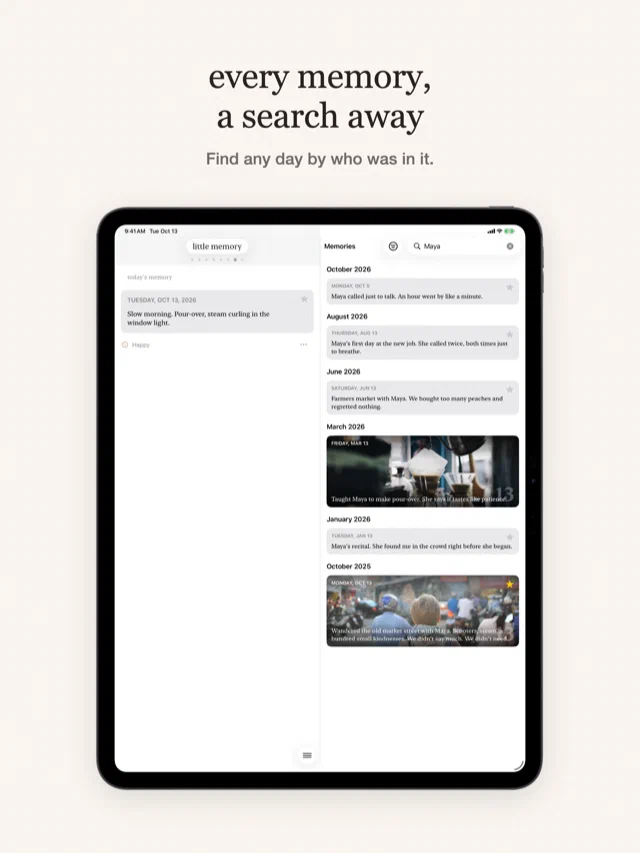
The iPad gets a layout of its own with the same Diary and Search side by side. If you’d rather just have the Diary, you can turn Search off from the Diary menu.
Tags on a new memory
Previously, you could only add tags to a memory when editing it. This made it pretty clunky to use, and probably made
it easy for folks to ignore even tagging anything. I like tagging little things like #coffee or more recently, as I’ve been
battling the insects coming into the house: #ants. It can be a fun way to spot trends or patterns in your own days. If you haven’t given it a try in a while, maybe give it a revisit. Tags are a Premium feature.
Fixes
Memory pushes only go out on a real anniversary now. This was a pretty bad bug I mentioned yesterday, where you’d get a random memory on days you didn’t have one. I think it mostly impacted newer users who have a sparser history of memories.
Text you haven’t saved also stays put when you leave the editor, and there are fixes for sync status, iCloud setup and the streak saver.
Onward
If you have feedback, I’d love to hear from you. Drop me a note.