Debugging Little Memory 2.0 Diary View Scrolling
I was working on fixing a bug in Lilmem 2.0 where switching from the diary’s Calendar mode to Memories mode caused a bug where the diary’s content “stuck” in a specific day. When I’d try to swipe between days after switching modes, the same day would re-appear after swiping.
I asked Claude to help me take a look and consider a fix. It came back with its usual vomit of text, and it left me rather confused. Rather than press it to give me even more text, I asked it to give me a visual explanation for what it was trying to do instead.
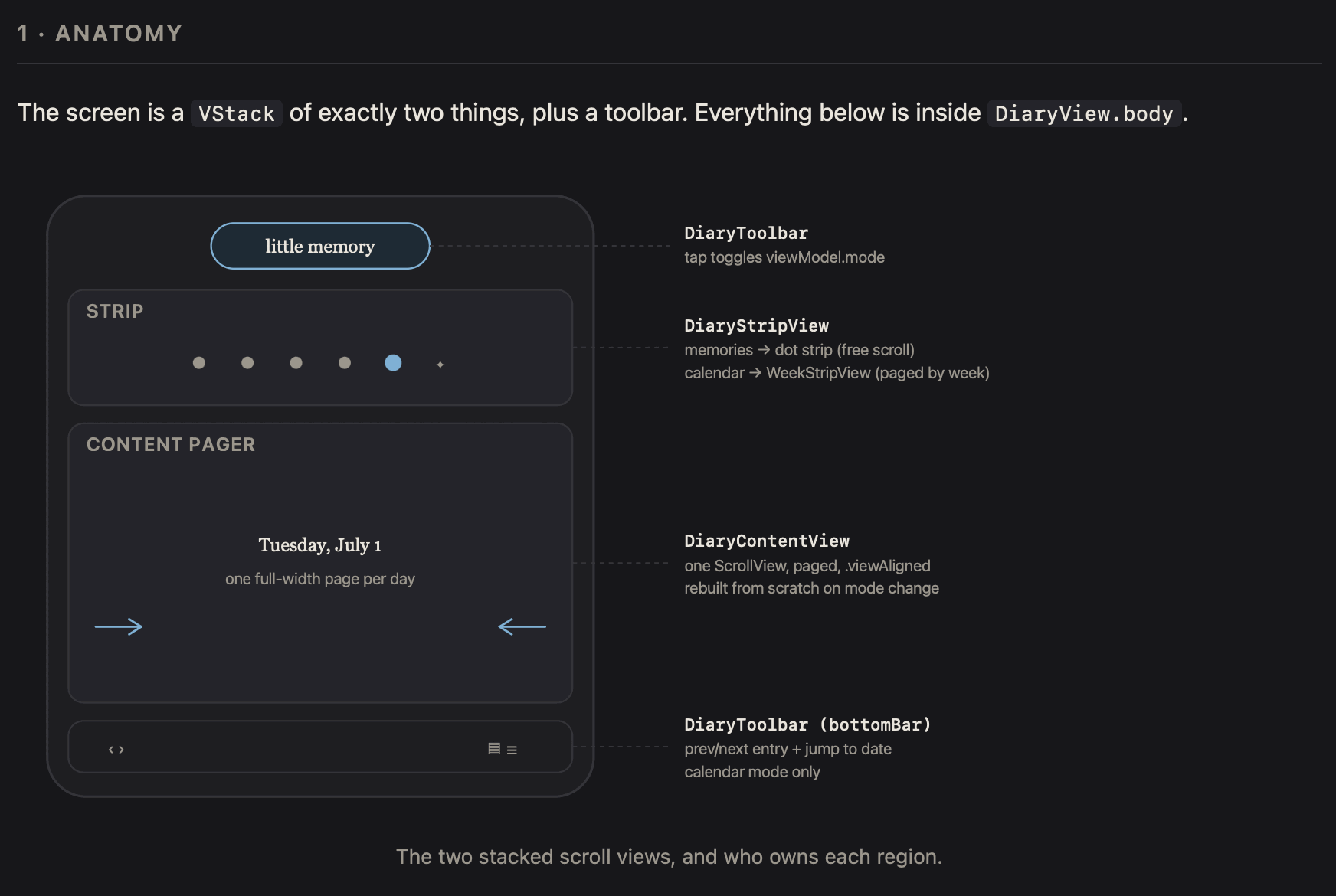
Here it’s explaining first the layout of the view so that we knew we were on the same page (ha!):
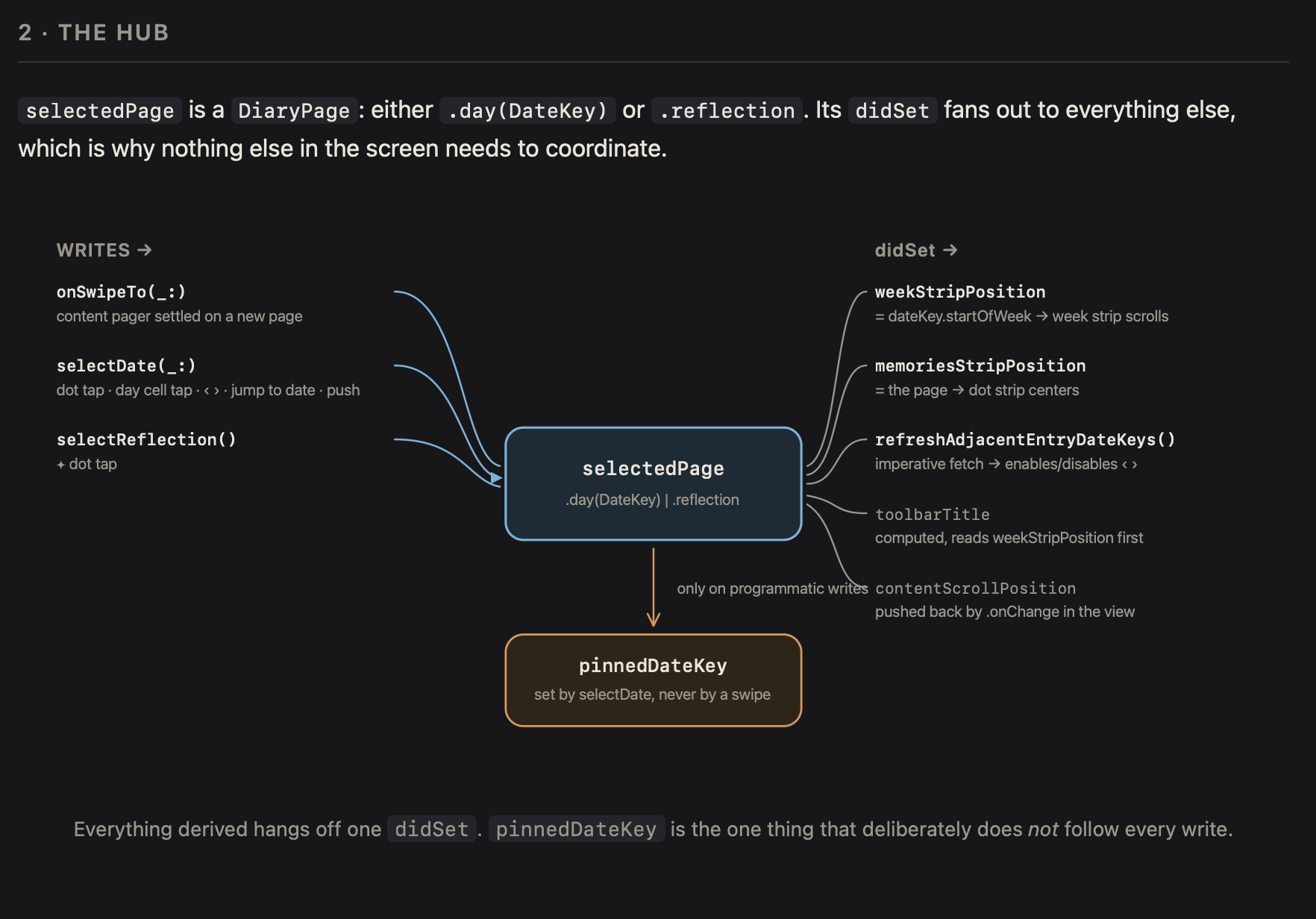
It outlined the various ways selectedPage changes can happen and its effects. And then it brings in a new concept of a “pinned” date key, which wasn’t clear to me in its wall of text:
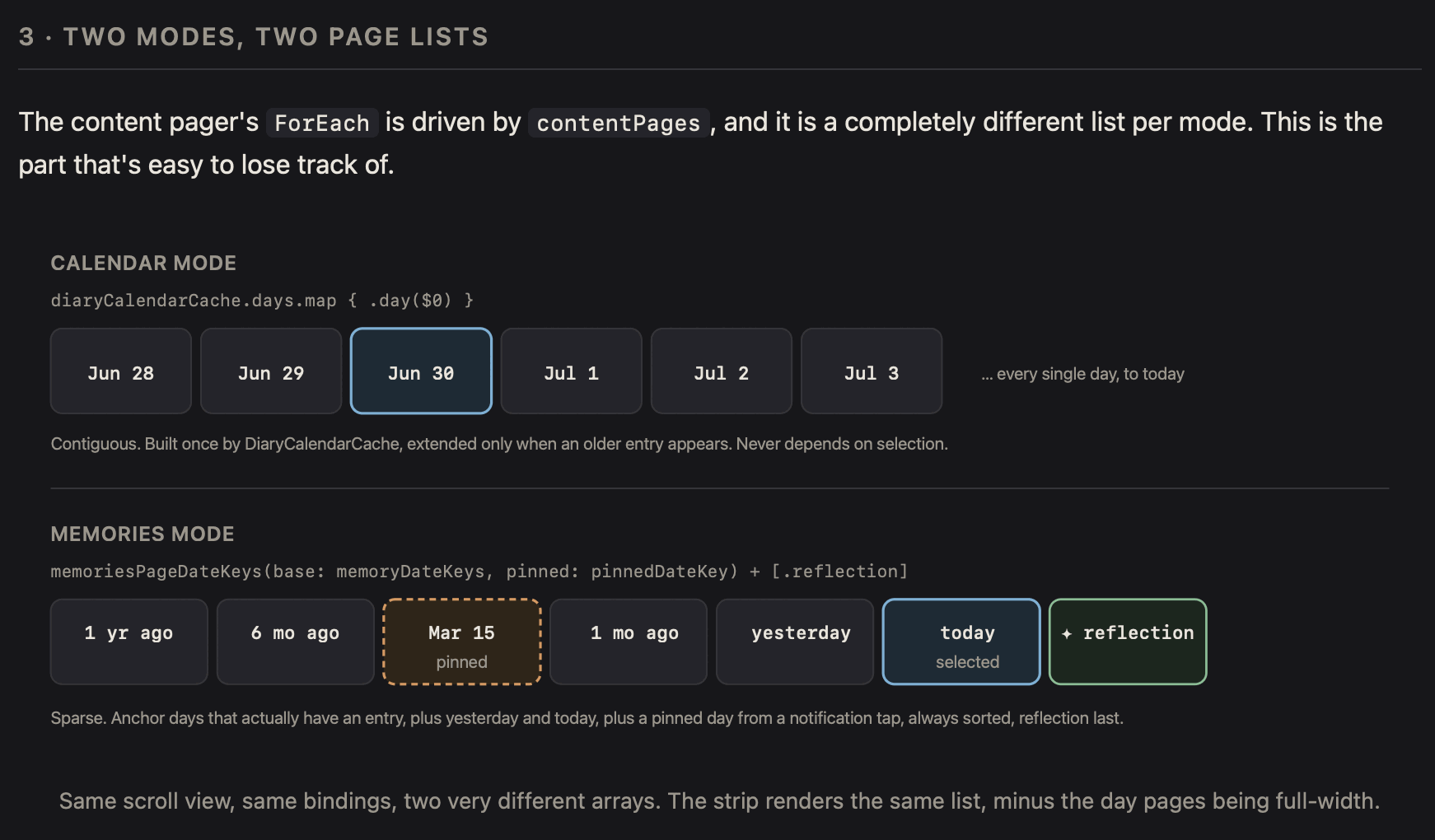
And then it explains how and where the pinned date key is used:
After seeing Claude’s diagrams and explanation, I was able to get what it was talking about and start collaborating with it from there.
Super helpful getting these visual explanations. I was inspired by how I’ve seen Simon Willison has gotten Claude to make interactive explanations for him to better understand what the agent is talking about.
This view/interaction is a core part of the UX of Little Memory, and getting it right is critical to the experience of the app, so I had to make sure Claude wasn’t just doing something too wild. Having it show me (rather than just tell me) was incredibly useful to make sure I knew what it was trying to accomplish.