Ready Time 3.11: iPhone Duo and iPad
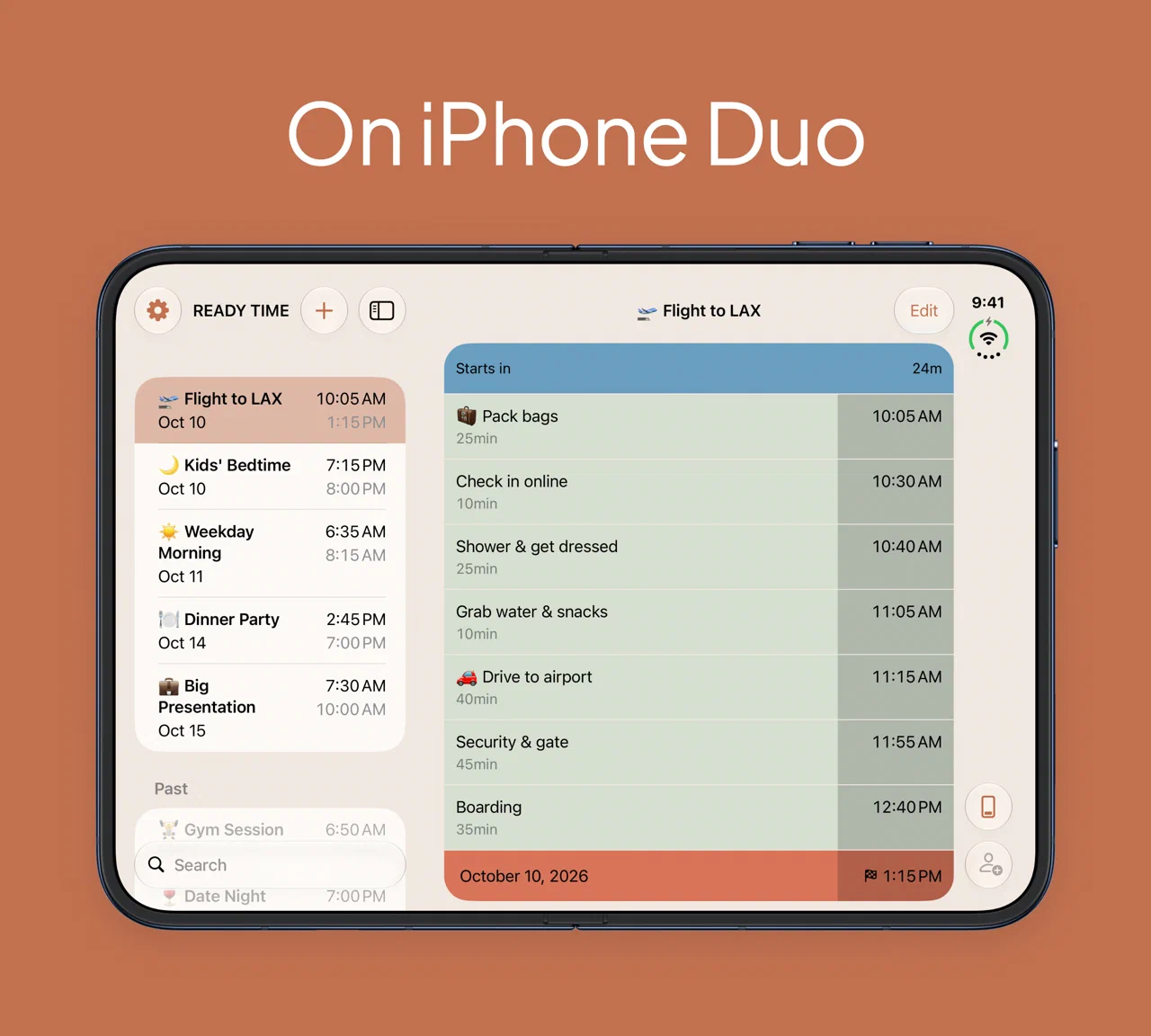
Ready Time has run on iPad for a while, but it was really just a stretched out version of the iPhone app, which was kind of lame. It really didn’t take advantage of the large display on the iPad, and you had to navigate around the app as if you had limited screen space. With iPhone Duo coming out, we wanted to make better use of the bigger screen. Now on iPhone Duo and iPad, your Plans stay in a list on the left while you can see a selected Plan on the right.
Editing on the bigger screen
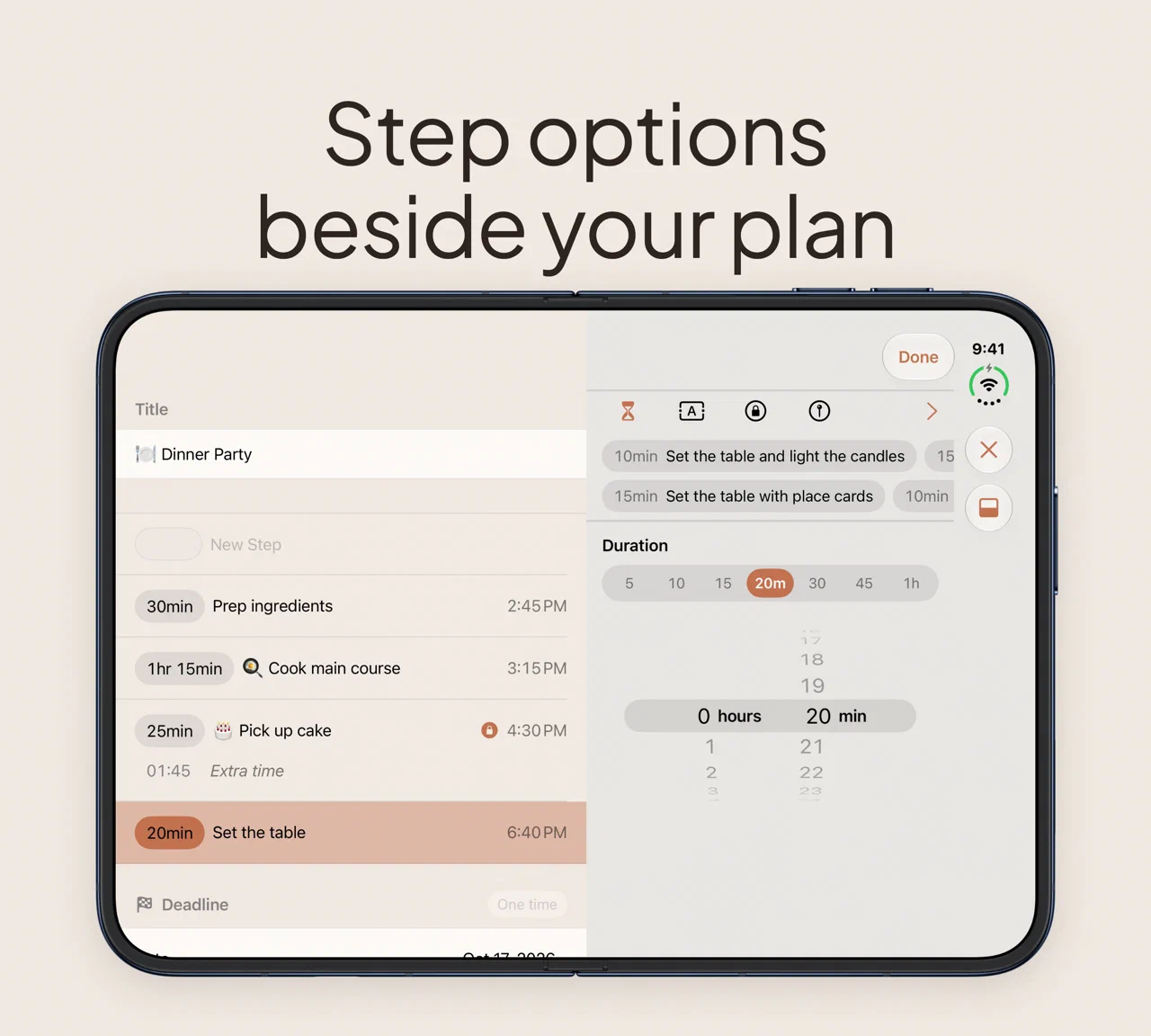
Editing has also been updated to better suit the larger screen. On the iPhone, editing a Step’s duration, time lock, and travel options made sense where the keyboard is displayed. But with the larger screen, we have much more width on the screen to be able to show you these options on the side of the Plan Editor.
Closing iPhone Duo
If you close iPhone Duo, the Plan you had open stays running on the outer display. You can pack the night before with it open, close it on your way out the door, and your notifications and Live Activity keep going.
Spotlight and Shortcuts
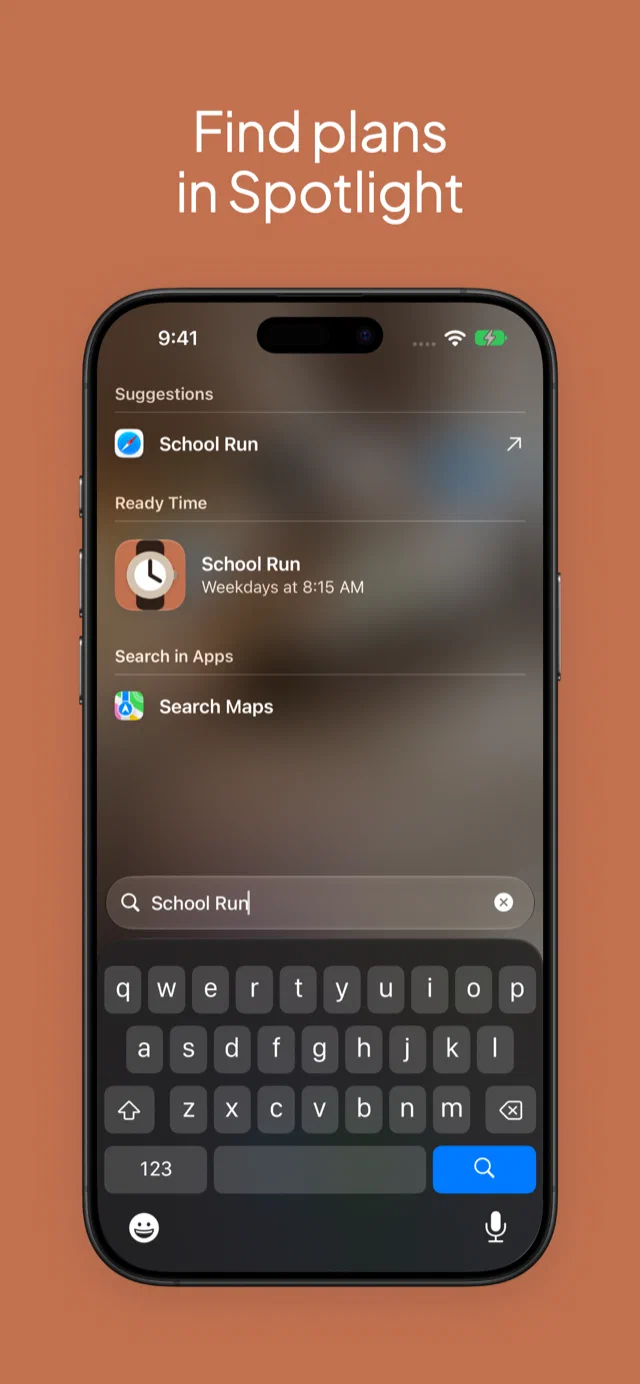
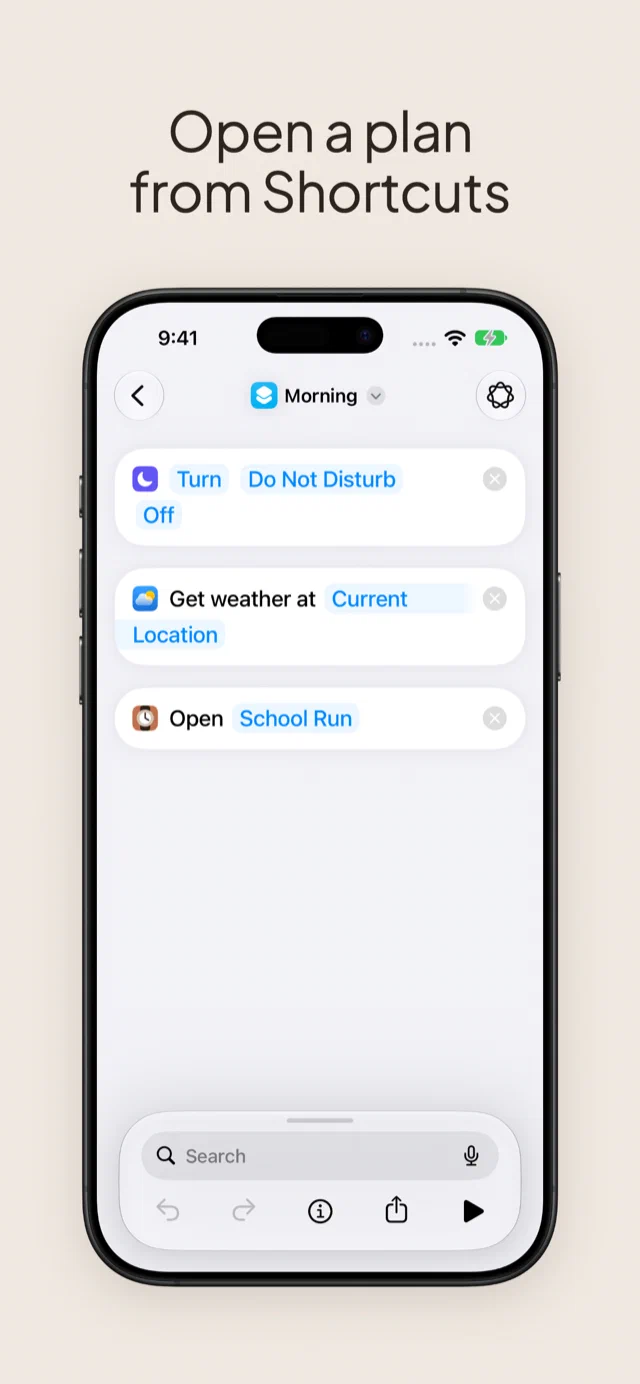
3.10 was also recently released, and with it came support for Spotlight search, and the Shortcuts app has an Open Plan action. You can now search for your Plans in Spotlight so you can quickly get to them without needing to search for the app.
Picking a duration
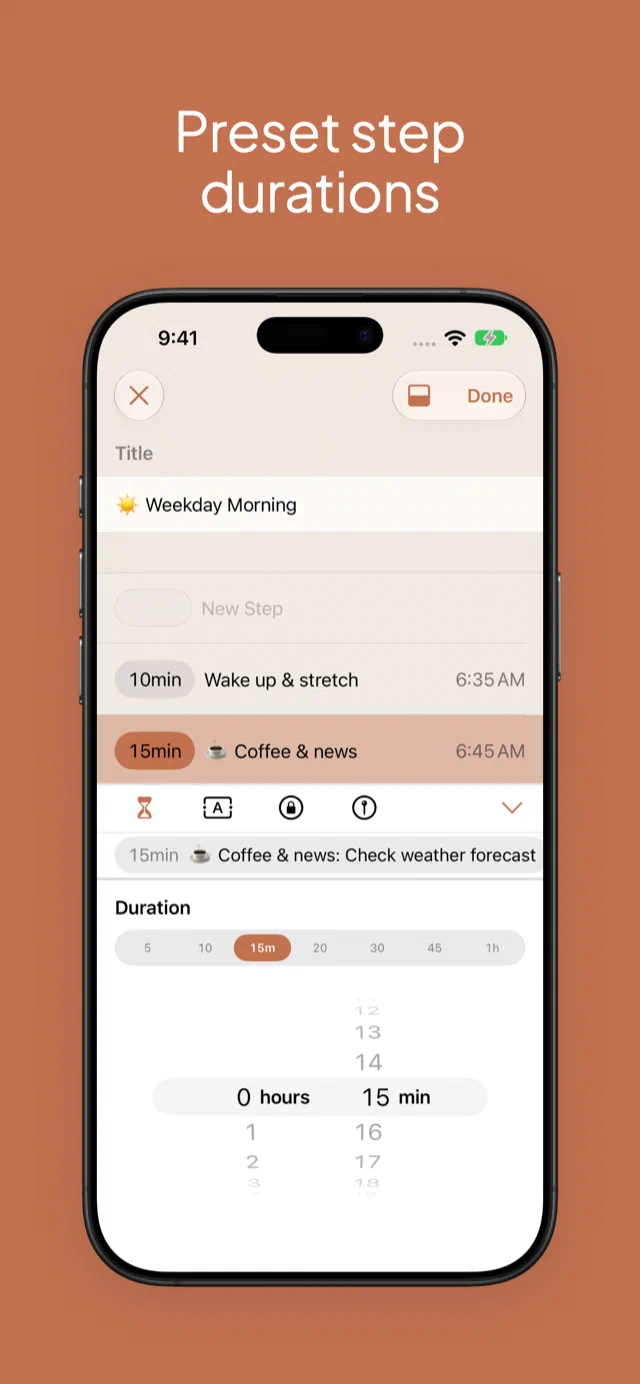
The duration picker for Steps finally got a face lift. We’d been using the standard iOS spinner wheels for selecting durations, but oftentimes, you want to set something preset like 5 minutes, 10 minutes, 15 minutes, etc. Now, you can select one of the common durations right in the picker. This should speed you up when setting up your Plans.
We also made it quicker to start a new Plan from one of the built-in routines, tapping a Live Activity now takes you straight to that Plan, long Step titles wrap onto more lines, and we cleaned up the colors in every theme so Step times are easier to read.
Onward
You can download Ready Time on the App Store.
If you have feedback, we’d love to hear from you. Drop me a note.